
How to protect your accounts and passwords

Most account break ins do not involve clever hacking. They happen because a password was reused, a link was clicked or an urgent message was believed. That is genuinely good news, because it means the everyday habits that protect you are simple and well within reach. This article covers the basics that make the biggest difference: strong and unique passwords, a second check at sign in, and the ability to recognise a scam before it costs you anything.
Strong and unique passwords
The most important rule is to never reuse a password. When one site is breached, criminals try the same email and password everywhere else, and a reused password turns a single leak into a whole cascade of break ins.
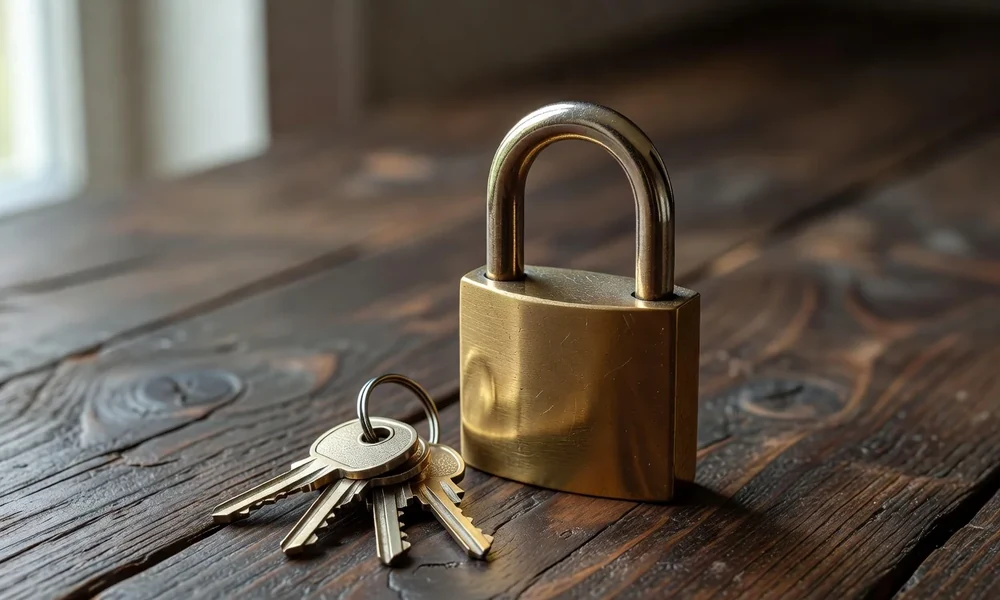
Longer passwords are stronger than complicated short ones. A passphrase of several unrelated words is easier to remember and harder to guess than a short string of symbols.
You do not need to invent or remember them all. A password manager generates a different long password for every account, remembers them for you and removes the temptation to reuse the same one.
Two step verification
Two step verification adds a second check at sign in, usually a code from an app or a device, so that a stolen password alone is not enough to get in.
Turn it on wherever it is offered, and start with the accounts that matter most: email, banking and anything that holds personal data. These are the keys that unlock everything else.
Prefer an app or a hardware key over codes sent by text message where you have the choice, because text codes can be intercepted in some circumstances. Any second step is far better than none.
Securing your email above all
Your email is the master key to your online life. Anyone who controls it can reset the passwords for almost every other account you own, which is why it deserves the strongest protection.
Give your email a long, unique password and two step verification, and check the recovery options are ones you still control. An outdated recovery address is a door left open.
Watch for alerts about new sign ins and unfamiliar devices. Acting quickly on a warning is far easier than repairing the damage once an account has been taken over.
| Area | Do this | Why |
|---|---|---|
| Passwords | Unique and long | Stops one leak spreading |
| Manager | Store and generate them | No reuse, no memorising |
| Two step checks | Enable everywhere | Password alone is not enough |
| Strongest protection | It unlocks everything else | |
| Links | Never click from a message | Avoids phishing pages |
| Updates | Install promptly | Closes known holes |
Spotting scams before they work
Urgency is the most reliable warning sign. A message that demands immediate action, threatens a closed account or offers an unexpected refund is trying to stop you thinking clearly.
Never click a link in an unexpected message to reach a login page. Open the site yourself from your own bookmark or a typed address, and check that the contact really came from who it claims.
Treat requests for passwords, codes or payment details with suspicion, whoever appears to be asking. A genuine bank or service will not ask for your password or a full security code.
Everyday habits that help
Keep your devices updated. Updates fix the security holes that criminals rely on, and the delay is usually only a few minutes.
Be careful on shared or public networks, and avoid signing in to sensitive accounts on computers you do not control. Log out properly when you are finished.
Review your accounts once in a while. Look for anything unfamiliar, remove apps and services you no longer use and close old accounts you have forgotten about.
If something goes wrong
If you suspect an account has been compromised, change the password immediately, starting with your email, and turn on two step verification if it was not already active.
Then change the password anywhere you reused it, and tell your bank at once if money or payment details may be involved. Speed matters far more than embarrassment.
Report the incident to the relevant service and, where appropriate, to your national fraud reporting body. Reporting helps you and it helps protect the next person.
- Never reuse a password across accounts.
- Use a passphrase or a password manager.
- Turn on two step verification everywhere it is offered.
- Protect your email as your most important account.
- Never click a login link in an unexpected message.
- Change passwords immediately if you suspect a breach.
A useful mental habit is to slow down whenever a message tries to make you hurry. Almost every scam depends on panic, and simply pausing, checking the sender and reaching the service through your own link removes the pressure the fraudster relies on.
It also helps to talk about it. Fraud thrives on embarrassment, and people who feel able to tell their bank or their family quickly lose far less than those who stay silent hoping it will resolve itself.
Protecting your accounts comes down to a few habits repeated everywhere: unique passwords, a second check at sign in, extra care for your email and a healthy suspicion of anything urgent. None of it is difficult, and together it closes the door on the vast majority of attacks.
Read next
How to read a contract before you sign
A simple routine for checking the parts of a contract that most often catch people out.
A simple way to build a weekly meal plan
A repeatable method for planning a week of meals that cuts waste and last-minute decisions.
First aid basics every household should know
The everyday first aid knowledge worth having at home, and when to call for help.